Main Page
This page maps the built-in AGILab web pages and shows how they fit together.
The main web interface exposes one navigation surface for:
Core pages (Project, Orchestrate, Workflow, Analysis), and
Page bundles (optional dashboards launched from Analysis).
How pages are presented
Core pages and page bundles both appear as “pages” in the UI, with a consistent layout and navigation.
The key difference is runtime: core pages run inside the main AGILab web interface, while page bundles run in a sidecar web process and are embedded back into the UI.
Core pages
PROJECT — PROJECT: inspect and modify project sources and settings.
ORCHESTRATE — ORCHESTRATE: install workers, generate distributions, and run pipelines.
WORKFLOW — WORKFLOW: iterate in
lab_stages.toml, run snippets against exported data, and export a runnable supervisor notebook so the work remains reusable outside the AGILAB UI.ANALYSIS — ANALYSIS: discover, configure, and launch page bundles.
Core page tour
The workflow navigation stays focused on PROJECT, ORCHESTRATE, WORKFLOW, and ANALYSIS. These pages expose direct documentation access from their sidebars, so you can reopen the relevant guide without navigating back to the landing page first.
Operational controls are kept out of the workflow page list. Use the landing sidebar Settings link to edit persisted environment variables and runtime diagnostics. The general documentation link is available from the landing sidebar Documentation link.
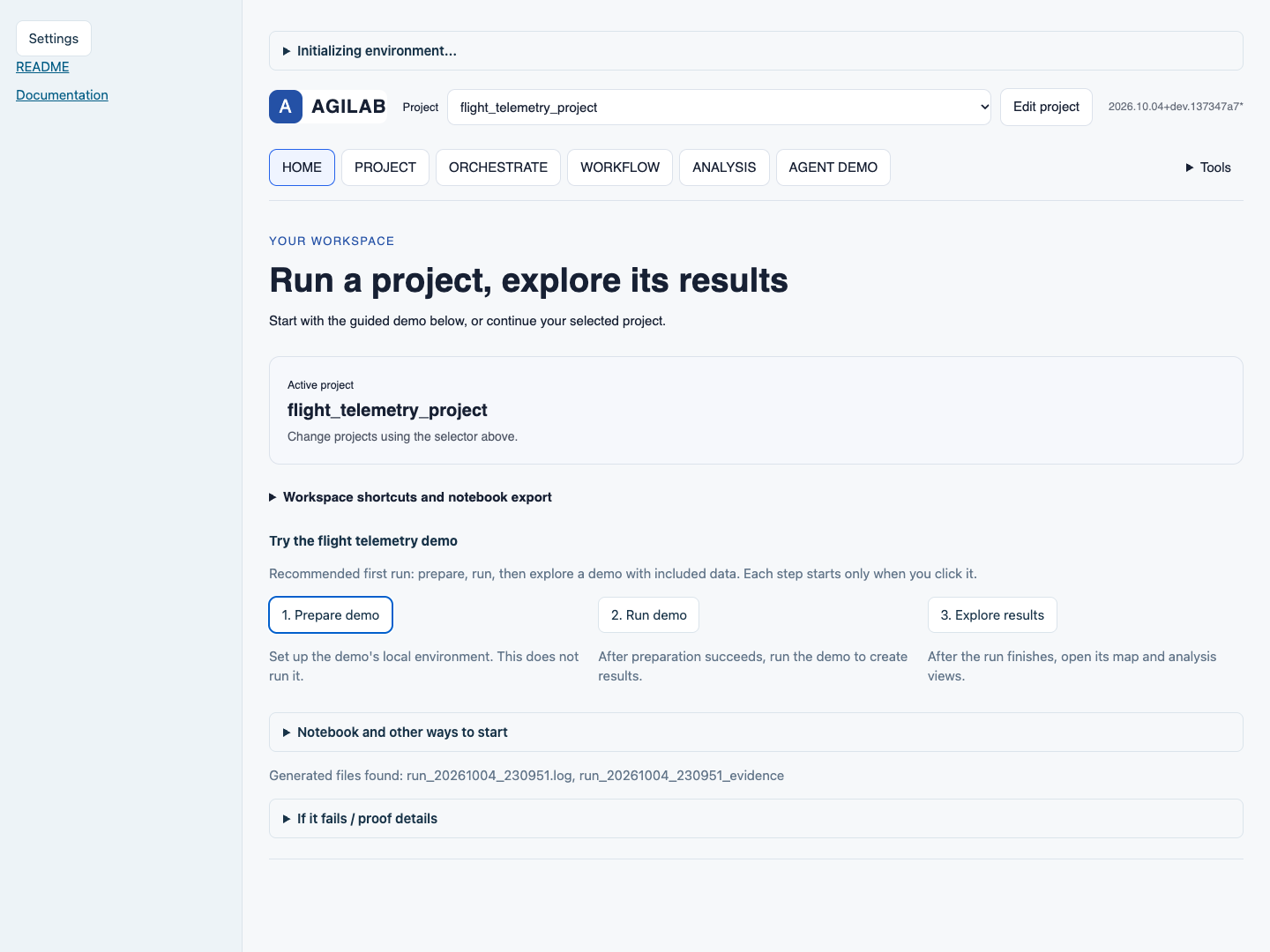
The native home interface offers one recommended demo journey: Prepare demo -> Run demo -> Explore results. Notebook entry paths and workspace shortcuts remain in collapsed sections. This source capture comes from an isolated local workspace; it does not claim public deployment.
Page bundles
Page bundles are optional dashboards stored under ${AGILAB_PAGES_ABS}
(default: src/agilab/apps-pages). They are enabled per project via
[pages].view_module in app_settings.toml.
See also
Newcomer Guide and Quick-Start for the first-proof path.
AGILab Architecture for the end-to-end pipeline view.
Page bundles for how page bundles work (and the built-in bundle catalog).
Distributed Workers for the UI-driven cluster workflow from ORCHESTRATE to WORKFLOW.
Learning Workflows for training vs inference (and optional continuous/federated patterns).
Demos for the current public AGILAB demo entry points.